
Etherape
EtherApe is a graphical network monitor for UNIX modeled after etherman. It displays network activity graphically.
Fedora Security Lab предоставляет безопасную тестовую среду для работы с аудитом безопасности, криминалистикой, восстановлением системы и обучением методологиям тестирования безопасности в университетах и других организациях.
Этот Spin-образ поддерживается сообществом тестировщиков безопасности и разработчиков. Он включает чистую и быструю рабочую среду Xfce и настраиваемое меню, предоставляющее все необходимые инструменты для корректного прохождения тестового пути для тестирования безопасности или восстановления повреждённой системы. Образ Live создан с возможностью установки программного обеспечения в процессе работы, а если вы запускаете его с USB-накопителя, созданного с помощью LiveUSB Creator с функцией постоянных изменений, вы можете устанавливать и обновлять ПО и сохранять результаты тестирования на постоянной основе.

EtherApe is a graphical network monitor for UNIX modeled after etherman. It displays network activity graphically.
Ettercap is a comprehensive suite for man in the middle attacks.

Medusa is intended to be a speedy, massively parallel, modular, login brute-forcer.

Nmap is a free and open source utility for network discovery and security auditing.

A GUI tool that serves as an SCAP scanner and provides tailoring functionality for SCAP content.

Skipfish is an active web application security reconnaissance tool.

A tool targeted to test SQL Injection vulnerabilities on a web application using Microsoft® SQL Server as its back-end.

Wireshark is a network traffic analyzer for UNIX-ish operating systems.
Yersinia is a network tool designed to take advantage of some weakness in different network protocols.
ДАТА ВЫПУСКА:

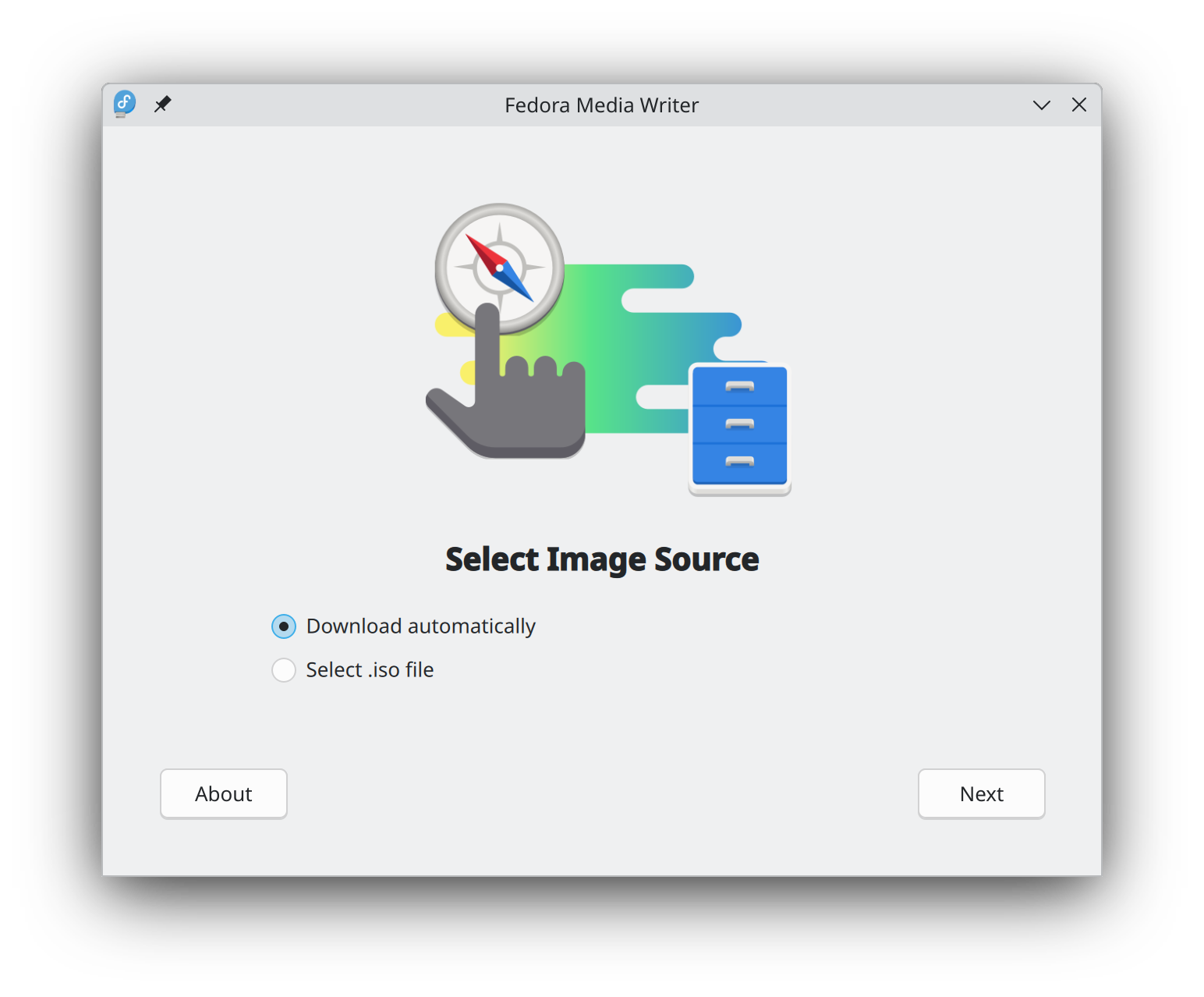
Getting started with Fedora Linux is easier than ever. All you need is a 4GB USB flash drive and the Fedora Media Writer utility.
After Fedora Media Writer is installed, you can use it to write a "Live" version of Fedora Linux to a flash drive. You will then be able to boot from your flash drive and try Fedora Linux out without making any permanent changes to your computer. Once you are hooked, transferring Fedora Linux from the flash drive to your computer's hard drive is a matter of clicking a few buttons.* Learn more
После загрузки образа обязательно проверьте его безопасность и целостность.
By calculating a image's checksum and comparing it to its original checksum, you can verify that a image has not been tampered with or corrupted. Images are also signed with the Fedora Project's OpenPGP keys to demonstrate their integrity.
Нажмите на кнопку проверки , чтобы получить инструкцию, специально подобранную под загружаемый файл.
Нажимая и загружая Fedora, вы соглашаетесь соблюдать Политику экспортного контроля Fedora.