
Etherape
EtherApe is a graphical network monitor for UNIX modeled after etherman. It displays network activity graphically.
The Fedora Security Lab provides a safe test environment to work on security auditing, forensics, system rescue and teaching security testing methodologies in universities and other organizations.
The spin is maintained by a community of security testers and developers. It comes with the clean and fast Xfce Desktop Environment and a customized menu that provides all the instruments needed to follow a proper test path for security testing or to rescue a broken system. The Live image has been crafted to make it possible to install software while running, and if you are running it from a USB stick created with LiveUSB Creator using the overlay feature, you can install and update software and save your test results permanently.

EtherApe is a graphical network monitor for UNIX modeled after etherman. It displays network activity graphically.
Ettercap is a comprehensive suite for man in the middle attacks.

Medusa is intended to be a speedy, massively parallel, modular, login brute-forcer.

Nmap is a free and open source utility for network discovery and security auditing.

A GUI tool that serves as an SCAP scanner and provides tailoring functionality for SCAP content.

Skipfish is an active web application security reconnaissance tool.

A tool targeted to test SQL Injection vulnerabilities on a web application using Microsoft® SQL Server as its back-end.

Wireshark is a network traffic analyzer for UNIX-ish operating systems.
Yersinia is a network tool designed to take advantage of some weakness in different network protocols.
תאריך הפצה:
Getting started with Fedora Linux is easier than ever. All you need is a 4GB USB flash drive and the Fedora Media Writer utility.
After Fedora Media Writer is installed, you can use it to write a "Live" version of Fedora Linux to a flash drive. You will then be able to boot from your flash drive and try Fedora Linux out without making any permanent changes to your computer. Once you are hooked, transferring Fedora Linux from the flash drive to your computer's hard drive is a matter of clicking a few buttons.* Learn more
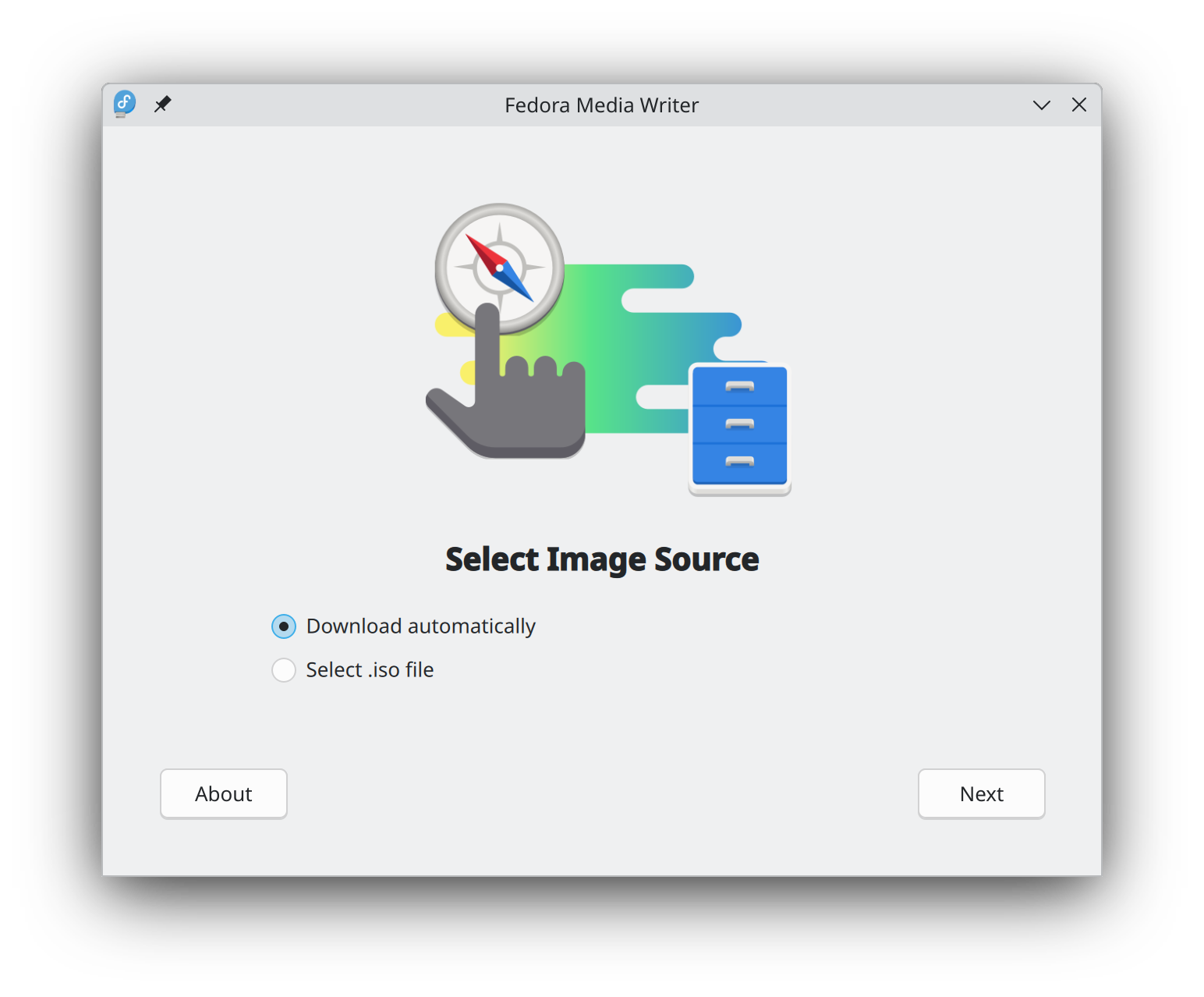
ברגע שהורדתם את קובץ ההתקנה, וודאו שאימתתם אותו מטעמי אבטחה ושלמות הקובץ.
בעזרת חישוב סכום הביקורת של קובץ הדמות שבמחשבך והשוואתו לסכום הביקורת המקורי, אפשר לוודא שקובץ הדמות לא נפגם ולא חיבלו בו. קובצי הדמות חתומים באמצעות מפתחות gpg של פדורה כדי להראות את אמינותם.
אפשר ללחוץ על כפתור האימות לקבלת הנחיות המיועדות להורדה שלך.
By clicking on and downloading Fedora, you agree to comply with the Fedora Export Control Policy.